
Hit enter to search or ESC to close
Close Search
Arbrea Labs
  • Book a demo
Menu
  • Solutions
    • For Plastic Surgeons
      • For Plastic Surgeons
      • For Aesthetic Doctors
      • For Dentists
  • About us
    • About us
    • About us
      • About Us
      • Arbrea Help Center
      • Careers
      • Contact
  • What We Build
    • What We Build
    • What We Build
      • Arbrea Suite
      • Arbrea Breast
      • Arbrea for Face
      • Lindapp – Your Marketing Booster
  • Resources
    • Resources
    • Resources
      • Publications
      • Success Stories
      • Arbrea Blog
      • Marketing & Sales Tips
  • No Black Friday
  • Arbrea Partner Program
  • EN
    • ES
    • IT
    • DE
    • PT
  • Get Started for Free
  • Book a demo
Arbrea Labs
  • Solutions
    • For Plastic Surgeons
      • For Plastic Surgeons
      • For Aesthetic Doctors
      • For Dentists
  • About us
    • About us
    • About us
      • About Us
      • Arbrea Help Center
      • Careers
      • Contact
  • What We Build
    • What We Build
    • What We Build
      • Arbrea Suite
      • Arbrea Breast
      • Arbrea for Face
      • Lindapp – Your Marketing Booster
  • Resources
    • Resources
    • Resources
      • Publications
      • Success Stories
      • Arbrea Blog
      • Marketing & Sales Tips
  • No Black Friday
  • Arbrea Partner Program
  • EN
    • ES
    • IT
    • DE
    • PT
  • Get Started for Free
  • facebook
  • linkedin
  • youtube
  • instagram
Arbrea Suite

Arbrea Suite Academy

5
  • How to Share a Case from Arbrea Suite to Lindapp
  • How to Use Arbrea Suite
  • How to Integrate Arbrea into Your Consultation
  • How to Activate Private Cloud Options
  • How to Customize Arbrea Suite to Your Brand 
Arbrea Breast Augmentation 3D simulator

Arbrea Breast Academy

22
  • How to Use Arbrea Breast – An Overview
  • How to Create a 3D Model for the Breast
  • How to Simulate in AR & 3D Mode
  • How to Use Sculpting Mode
  • How to Use the Implants Catalog
  • How to Set Up the Implant Brands
  • How to Use the Shape Tool
  • How to Use Bookmarks to Compare Different Implants
  • How to Simulate a Mastopexy With or Without Implants
  • How to Use Measurements
  • How to Use the Scars Tool
  • How to Use the Fat Grafting Tool
  • How to Share the Breast Simulation with Patients
  • How to Simulate Breast Reconstruction
  • How to Simulate Tuberous Breast
  • How to Simulate a Gynecomastia
  • How to Simulate an Implant Replacement 
  • How to Capture Complex Cases
  • How to Import a Model from Lindapp
  • How to Mirror to an External Screen
  • How to Order Implants
  • How to Simulate Asymmetries
rhinoplasty simulator

Arbrea Face Academy

12
  • How to Use Arbrea Face
  • How to Make a 3D Model
  • How to Use the Automatic Measurements Tools
  • How to Use the New Free Hand Tool
  • How to Use the Annotation Tool for Injectables
  • How to Simulate a Rhinoplasty
  • How to Simulate a Facelift
  • How to Simulate Lip Procedures
  • How to Simulate Cheek Procedures
  • How to Share the Face Simulation with Patients
  • How to Simulate Chin Procedures
  • How to Simulate a Bichectomy
How to simulate breast augmentation

Lindapp

13
  • How to Add a Lindapp Code from Arbrea Suite
  • How to Request the Activation of Lindapp
  • How to Check Your Lindapp Analytics
  • How to Check and Contact Your Lindapp Users
  • How to Share a Case from Lindapp to Arbrea Suite
  • How to Use Lindapp
  • Why Should You Use Lindapp
  • What Are the Benefits of Lindapp to Current Users 
  • What Kind of Links You Can Include on Lindapp
  • How to Market Lindapp on Instagram and Other Media
  • How to Use Lindapp to Reduce No-Show Rate
  • How to Use Lindapp in Remote Consultations
  • How to Integrate Lindapp in Your Website
View Categories
  • Home
  • Docs
  • Arbrea Breast Academy
  • How to Simulate a Mastopexy With or Without Implants

How to Simulate a Mastopexy With or Without Implants

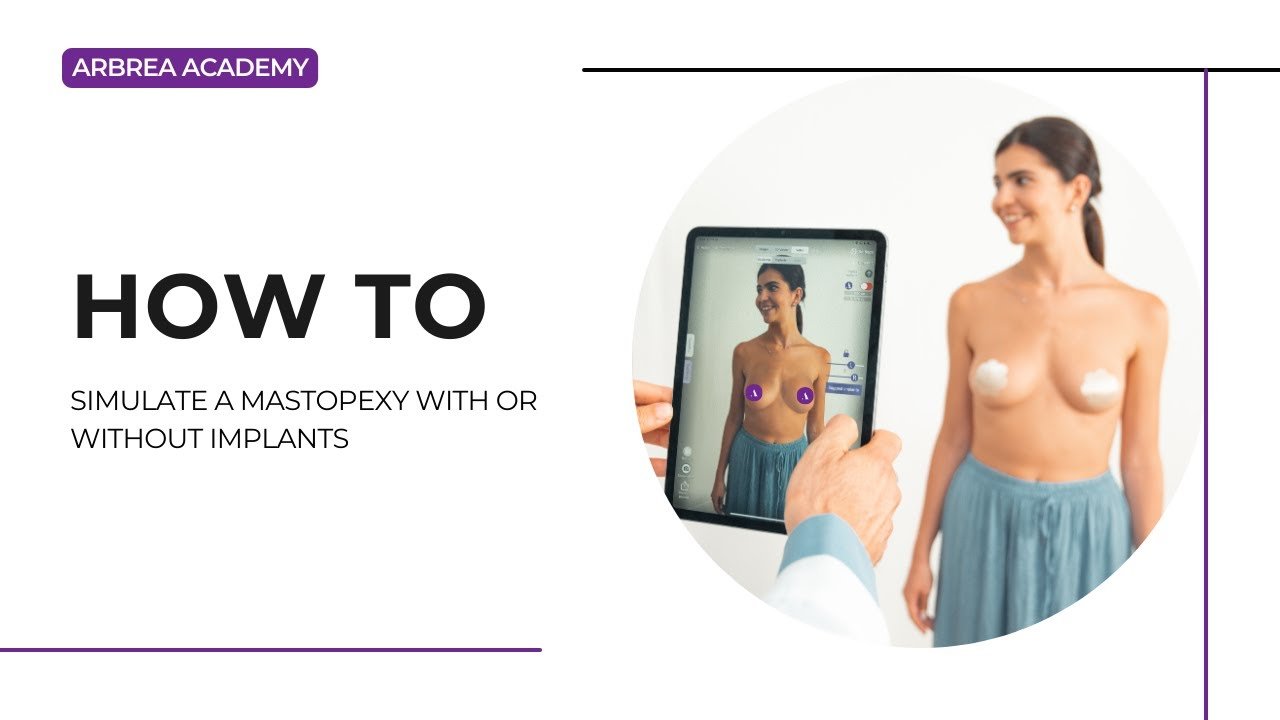
A mastopexy (breast lift) is a common procedure to restore breast shape and firmness. With Arbrea Breast, plastic surgeons can simulate mastopexy with or without implants, helping patients visualize potential outcomes before surgery.

This guide walks you through the step-by-step process of simulating a mastopexy, with or without implants, to enhance your pre-operative consultations. You will learn how to modify breast volume, refine results with additional tools, adjust the nipple-areola complex, insert scar indicators, and compare different simulations to support patient decision-making.

Simulating a Mastopexy Without Implants #

  1. Open Arbrea Suite and select the patient’s case in 3D Viewer.
  2. Reduce Breast Volume First (If Needed)
    • Adjust each breast individually to maintain balance.

Reduce breast volume for mastopexy without implants in Arbrea Suite

Going into the Second Step: Augmentation Mode #

  1. Click on the Shape Tool to adjust the breast lift simulation.
  2. Modify the breast volume by adjusting the sliders to reshape and reposition the breast.

Click shape tool in mastopexy without implants in Arbrea Suite

Adjusting Volume to Achieve Desired Results #

  1. Increase or decrease breast volume to reflect the expected outcome.
  2. If additional refinements are needed, use:
    • Breast Base Up Tool – Adjusts the breast’s foundation.
    • Vertical Lift Tool – Simulates how the breast will sit post-surgery.

Refining the simulation with the shape tool for mastopexy without implants in Arbrea Suite

Using Additional Tools to Analyze the Case #

  • If required, use distance and measurement tools to analyze:
    • Breast symmetry
    • Nipple positioning
    • Volume distribution

Analyzing additional details for mastopexy without implants in Arbrea Suite

Inserting Scar Indicators & Adjusting the Nipple-Areola Complex #

  1. Insert Scar Indicators
    • Click on the Scar Indicator Tool to mark potential surgical incisions.
    • This helps set realistic patient expectations regarding post-surgical scarring.

Selecting the scar tool for mastopexy without implants in Arbrea Suite Selecting the type of scar in the scar tool for mastopexy without implants in Arbrea Suite

2. Modify the Nipple-Areola Complex (NAC)

    • Open the NAC Tool to reduce or reposition the nipple and areola size.
    • This reflects common mastopexy adjustments to improve proportion and symmetry.

Selecting the nac tool for mastopexy without implants in Arbrea Suite  Selecting the type of nipple characteristics in the nac tool for mastopexy without implants in Arbrea Suite

Resetting the Simulation (If Needed) #

If you need to restart the simulation, simply:

Click the Reset button to revert to the original case.
Start a new mastopexy simulation with implants for comparison.

Resetting the simulation for mastopexy without implants in Arbrea Suite

Simulating a Mastopexy With Implants #

  1. Reduce Breast Volume First (If Needed)
    • Adjust each breast individually to maintain balance.

Reduce breast volume for mastopexy without implants in Arbrea Suite

2. Simulate an Augmentation

    • Open the Implant Catalog and select a suitable implant.
    • Filter implants by:
      • Brand
      • Diameter
      • Projection (Moderate, High, Extra High)

Choosing the right implant from the implant catalog for mastopexy without implants in Arbrea Suite

3. Apply the Chosen Implant

    • Select the plane of insertion (sub-glandular, sub-muscular, dual-plane).
    • Adjust the implant positioning to achieve the best outcome.

Applying the right implant from the implant catalog for mastopexy without implants in Arbrea Suite

Comparing Both Simulations for Patient Decision-Making #

  1. Bookmark the Mastopexy Without Implants Simulation.
  2. Create a second simulation with implants and bookmark it.
  3. Compare both options side by side for the patient to review.

Conclusion #

The mastopexy simulation tool in Arbrea Breast simplifies breast lift planning with real-time volume adjustments, areola modifications, and scar visualization. By utilizing simulation refinements, comparative analysis, and interactive tools, surgeons can enhance consultations and achieve accurate pre-operative planning.

For more guidance, watch the full video tutorial below.
Updated on October 30, 2025

What are your Feelings

    How to Use the Implants CatalogHow to Use Bookmarks to Compare Different Implants
    Table of Contents
    • Simulating a Mastopexy Without Implants
    • Going into the Second Step: Augmentation Mode
    • Adjusting Volume to Achieve Desired Results
    • Using Additional Tools to Analyze the Case
    • Inserting Scar Indicators & Adjusting the Nipple-Areola Complex
    • Resetting the Simulation (If Needed)
    • Simulating a Mastopexy With Implants
    • Comparing Both Simulations for Patient Decision-Making
    • Conclusion
    • Instagram
    • LinkedIn
    • YouTube
    • About Us
    • Arbrea Help Center
    • Careers
    • Privacy Policy
    • Imprint
    • Get Started for Free
    • Book a demo
    • Arbrea Breast
    • Arbrea Face
    • Lindapp

    Upcoming Events

    Jan 29
    January 29 - January 31

    IMCAS World Congress

    View Calendar
    We use cookies on our website to give you the most relevant experience by remembering your preferences and repeat visits. By clicking “Accept”, you consent to the use of ALL the cookies.
    Do not sell my personal information.
    Cookie SettingsAccept
    Manage consent

    Privacy Overview

    This website uses cookies to improve your experience while you navigate through the website. Out of these, the cookies that are categorized as necessary are stored on your browser as they are essential for the working of basic functionalities of the website. We also use third-party cookies that help us analyze and understand how you use this website. These cookies will be stored in your browser only with your consent. You also have the option to opt-out of these cookies. But opting out of some of these cookies may affect your browsing experience.
    Necessary
    Always Enabled
    Necessary cookies are absolutely essential for the website to function properly. These cookies ensure basic functionalities and security features of the website, anonymously.
    CookieDurationDescription
    cookielawinfo-checkbox-analytics11 monthsThis cookie is set by GDPR Cookie Consent plugin. The cookie is used to store the user consent for the cookies in the category "Analytics".
    cookielawinfo-checkbox-functional11 monthsThe cookie is set by GDPR cookie consent to record the user consent for the cookies in the category "Functional".
    cookielawinfo-checkbox-necessary11 monthsThis cookie is set by GDPR Cookie Consent plugin. The cookies is used to store the user consent for the cookies in the category "Necessary".
    cookielawinfo-checkbox-others11 monthsThis cookie is set by GDPR Cookie Consent plugin. The cookie is used to store the user consent for the cookies in the category "Other.
    cookielawinfo-checkbox-performance11 monthsThis cookie is set by GDPR Cookie Consent plugin. The cookie is used to store the user consent for the cookies in the category "Performance".
    viewed_cookie_policy11 monthsThe cookie is set by the GDPR Cookie Consent plugin and is used to store whether or not user has consented to the use of cookies. It does not store any personal data.
    Functional
    Functional cookies help to perform certain functionalities like sharing the content of the website on social media platforms, collect feedbacks, and other third-party features.
    Performance
    Performance cookies are used to understand and analyze the key performance indexes of the website which helps in delivering a better user experience for the visitors.
    Analytics
    Analytical cookies are used to understand how visitors interact with the website. These cookies help provide information on metrics the number of visitors, bounce rate, traffic source, etc.
    Advertisement
    Advertisement cookies are used to provide visitors with relevant ads and marketing campaigns. These cookies track visitors across websites and collect information to provide customized ads.
    Others
    Other uncategorized cookies are those that are being analyzed and have not been classified into a category as yet.
    SAVE & ACCEPT
    Powered by CookieYes Logo
    We've detected you might be speaking a different language. Do you want to change to:
    en_US EN
    en_US EN
    pt_BR PT
    it_IT IT
    es_ES ES
    de_DE DE
    Change Language
    Close and do not switch language

