
Arbrea Suite makes it easy for plastic surgeons to share simulations directly with patients via Lindapp, enabling a more interactive and personalized remote consultation experience. Whether you’re working on breast or face procedures, this step-by-step guide will help you quickly send a case from Arbrea Suite to Lindapp.
Open Arbrea Suite #
Launch the Arbrea Suite app on your iPad.
- If you are starting a new case, tap “New Patient”.

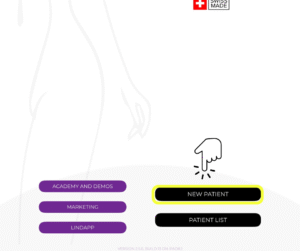
Select an Existing Patient (If Applicable) #
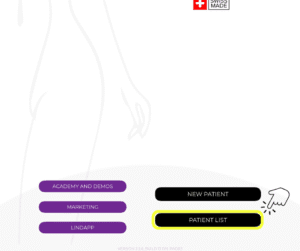
- If you’re working on an existing patient, tap on “Patient List” to open a previously saved case.
Choose Breast Procedure Simulation #
- Select the Breast simulation mode.
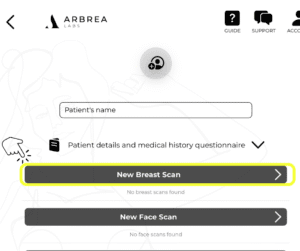
- Upload the patient’s photos (if it’s a new case).
- Apply the desired changes or simulations (if it’s a new case).
Choose Face Procedure Simulation #
- Select the Face simulation mode.
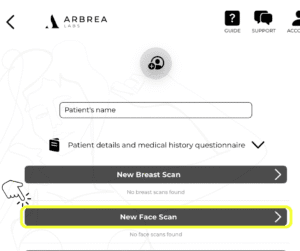
- Upload patient photos (if it’s a new case)
- Apply the relevant modifications or procedures (if it’s a new case).
Whether it’s breast or face simulation, Arbrea Suite allows you to perform real-time edits and adjustments before sharing.
Click the Share Button #
- Once your simulation is complete, tap the “Share” button located at the bottom of the screen.
- Select the option to share directly to Lindapp.
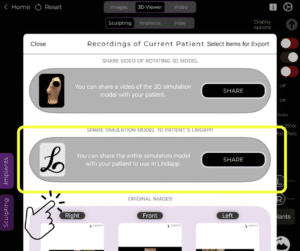
Enter Patient Information #
- Fill in the patient’s name and the email address where you want to send the simulation.
- Additional crucial details that are required before you send the simulation over are that patients must have logged in Lindapp using the code linked to their doctor’s Suite account to access the file.
- And the doctor must send the file to the same email address the patient used to register on Lindapp for security reasons.
- Tap “Generate and Share Email.”
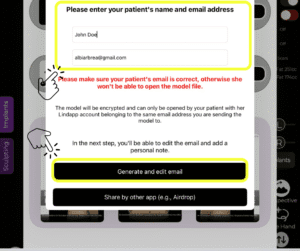
The patient will receive an email with a link to their personalized simulation via Lindapp.
Access the Case in Lindapp #
- The simulation will now appear in your Lindapp dashboard, ready for review and discussion during a remote consultation or follow-up.
Why This Matters #
Sharing cases through Lindapp helps:
✔ Improve remote communication
✔ Reduce no-show rates
✔ Save time during consultations
✔ Offer patients a more engaging experience
Conclusion #
Integrating Lindapp with Arbrea Suite transforms your consultation workflow into a fully digital, patient-centric experience. By sharing simulations ahead of time, you not only optimize your own efficiency but also boost patient confidence and satisfaction. Whether in person or remotely, this seamless integration helps you deliver modern, high-quality aesthetic consultations.



 EN
EN  PT
PT  IT
IT  ES
ES  DE
DE