
알브레아 브레스트 offers a powerful Sculpting Mode, allowing plastic surgeons to simulate breast volume adjustments without using implants. This feature provides greater flexibility in shaping and refining results, enabling surgeons to achieve customized pre-operative visualizations based on patient preferences.
Simulating Without Implants Using Sculpting Mode #
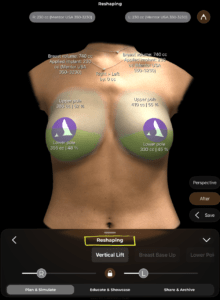
- 열다 알브레아 브레스트 and select the patient’s 3D 모델.
- Activate Sculpting Mode to modify breast shape and volume without adding implants.
- 사용하다 manual sculpting tools to fine-tune projection, symmetry, and natural contours.
왜 중요한가요?
- 외과의사가 ~할 수 있도록 허용합니다 simulate fat grafting, mastopexy, or volume adjustments without implants.
- 제공합니다 a natural-looking preview of potential outcomes.
Changing Volume & Using the Shape Tool #
- 이동하기 Volume Adjustment Tool and increase or decrease breast size.
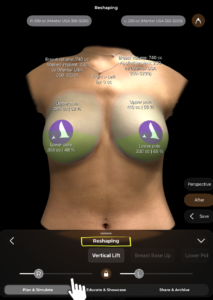
2. Use the 도형 도구 to refine the breast base, projection, and overall contour.
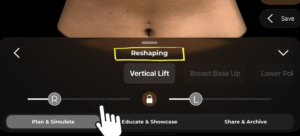
3. Adjust the upper and lower pole fullness to match the desired look.
Benefit:
- 시각화에 도움을 줍니다 subtle refinements and customized shaping.
- Provides a more personalized approach for patients seeking natural enhancement.
Getting Implant Suggestions Based on the Patient’s Preferred Volume #
- Once the preferred volume is set, Arbrea Breast can suggest suitable implants.
- The system analyzes patient-specific measurements 그리고 recommends implants that best match the sculpted volume.
- Surgeons can compare implants vs. sculpted results to guide patient decision-making.
이것이 중요한 이유
- 도움이 됩니다 patients explore implant vs. natural options.
- 보장합니다 implant selection aligns with the patient’s expectations.
결론 #
그 Sculpting Mode ~에서 알브레아 브레스트 제공한다 flexible breast shaping and volume adjustments without implants. By utilizing manual sculpting tools, volume refinements, and AI-powered implant suggestions, 외과의사들은 향상시킬 수 있다 consultations and achieve precise pre-operative planning.
자세한 안내를 보려면 다음을 시청하세요 전체 동영상 튜토리얼 아래.





 English
  Portuguese
  Italian
  Spanish
  German
  Arabic
  French
  Korean
  Albanian
  Thai
Thai  Hindi
Hindi