
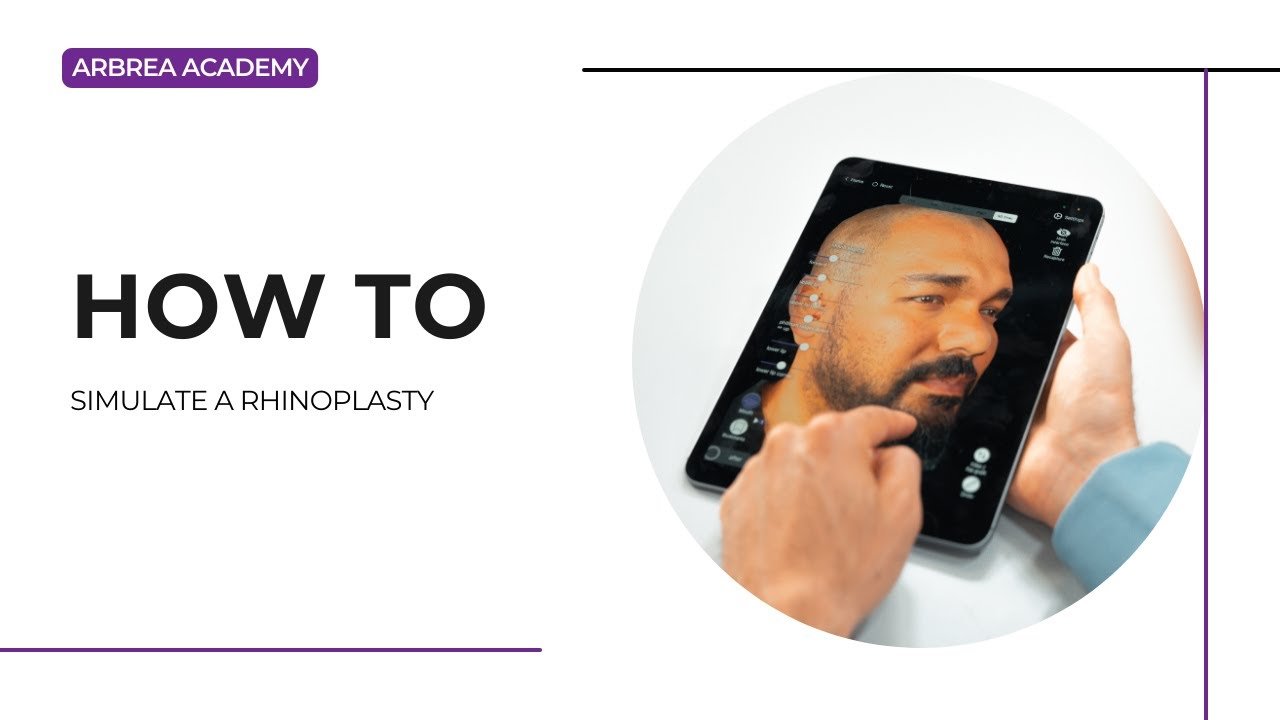
아브레아 페이스 직관적이고 종합적인 기능을 제공합니다 성형 수술 시뮬레이션을 하는 방법에 대한 가이드, 이를 통해 플라스틱 성형 외과 의사가 측정 정확도로 안쪽 성형술을 분석하고 수정하며 시각화합니다.. 이 가이드는 사용 절차를 단계별로 안내합니다. 측정 도구, 자유형 조정, 그리고 이전과 이후의 비교 수술 전 상담을 강화하고 환자와의 의사소통을 개선하기 위해..
환자의 얼굴 스캔 촬영 #
- 사용하기 아이폰 또는 아이패드 with a 고품질 카메라.
- 확인하다 좋은 자연광 ~를 위해 최적의 스캔 정확도.
- 필요가 없습니다. 인터넷 연결 또는 외부 스캐너—Arbrea의 AI는 정확한 3D 모델링을 보장합니다.
측정 및 거리 도구 사용하기 #
- 그들 상단 메뉴, 선택하세요. 측정 도구.
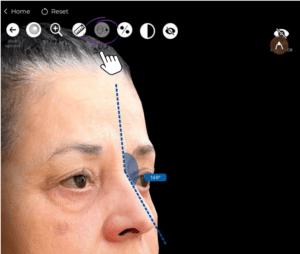
2. 분석하기 각도와 비율 코의 모양.
3. 코를 평가한 후 시뮬레이션에 가장 적합한 접근 방식을 결정하세요.
내장 도구를 사용하여 코를 정의하는 방법 #
- 그들 왼쪽 메뉴, 선택하세요. 코 도구.
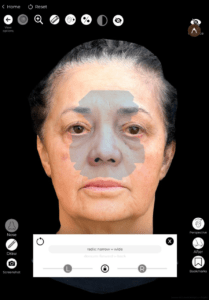
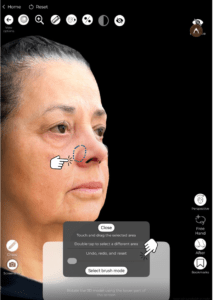
2. 선택하세요 선택 가능한 사전 정의된 코 수정 옵션 코 구조를 빠르게 조정하기 위해.
3. 만약 기본 도구 원하는 결과를 제공하지 마십시오, 사용하십시오 자유로운 수정 ~를 위해 보다 높은 정밀도.
자유로운 수정으로 코를 맞춤 설정하기 #
For 보다 정확한 조정, 사용하세요 자유 손 도구, 이 제품은 두 가지 방법을 제공합니다:
1. 부드러운 수정 효과를 위한 브러시 도구 사용 #
- 선택하세요 자유 손 도구 그리고 선택하세요 브러시 모드.
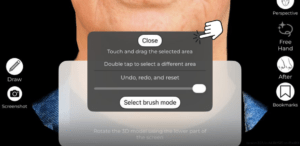
2. 조절하기 브러시 크기:
-
- A 더 큰 브러시 넓은 공간을 매끄럽게 만든다.
- A 작은 브러시 제공한다 세부적인 수정 사항 (예: 코의 입구, 끝부분).
3. 사용법 조각하기 위한 손가락 코:
-
- 올리고 또는 내리십시오 코 끝.
- 정리하기 후두부 (교량).
- 좁히거나 조정하세요 코 막힘.
2. 표적 조정용 영역 선택 모드 사용 #
- 선택하세요 지역 모드 Freehand 도구에서.
- 직접 그리기 변경하려는 영역에 있습니다.
- 조절하다 비대칭하게 필요하다면 양쪽 모두에서 이 과정을 반복합니다.
- 조합 이것은 더 섬세한 조각 작업을 위한 브러시 도구를 이용한 것입니다.
만약 변경 사항에 만족하지 않으신다면, 복귀 버튼을 사용하세요. 결과를 정제하기 위해.
시뮬레이션 전과 후 비교 #
~을(를) 클릭하세요 전후 버튼 원래 버전과 수정된 버전을 전환할 수 있습니다.
검토해 보세요 곡선, 투사, 대칭의 개선 환자와 함께.
제공하다 실제적인 기대 보여줌으로써 나란히 비교.
결론 #
그 코성형을 가뮬레이션하는 방법 ~에서 아브레아 페이스 단순화하다 내이 분석 및 수정 ~와 함께 정확한 측정 도구, 맞춤 설정 가능 조절 기능, 그리고 사전 및 후기 비교 기능을 제공합니다.. 활용하여 자유형 도구, 비례 분석 및 시뮬레이션 개선, 외과 의사들은 상담을 강화하고 정확한 결과를 얻을 수 있습니다. 수술 전 계획.
자세한 안내를 보려면 다음을 시청하세요 전체 동영상 튜토리얼 아래.





 English
  Portuguese
  Italian
  Spanish
  German
  Arabic
  French
  Korean
  Albanian
  Thai
Thai  Hindi
Hindi  Vietnamese
  Japanese