
Để nâng cấp gói Arbrea Suite và mở khóa tất cả các tính năng có sẵn, bạn sẽ cần Liên hệ với bộ phận bán hàng của Arbrea hoặc đội ngũ hỗ trợ khách hàng. Họ sẽ hướng dẫn bạn về các gói dịch vụ hiện có và giúp bạn kích hoạt các module bổ sung như myArbrea và bất kỳ công cụ nâng cao nào. Để biết thêm hướng dẫn, bạn cũng có thể kiểm tra phần cài đặt hoặc đăng ký trong ứng dụng Arbrea Suite của mình.
Arbrea Suite Training Hub
A complete resource to help you navigate, customize, and optimize your Arbrea experience
Tìm kiếm phổ biến
vùng ngựcMặt
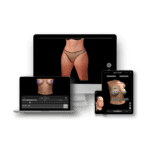
Arbrea Suite Academy
5 Docs
Cập nhật lần cuối: Tháng 5 21, 2026
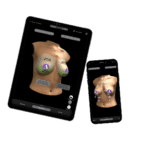
Arbrea Breast Academy
22 Docs
Cập nhật lần cuối: Tháng 9 25, 2026

Arbrea Face Academy
12 tài liệu
Cập nhật lần cuối: Tháng 5 29, 2026
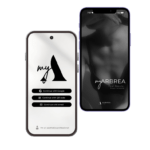
myArbrea
13 Docs
Cập nhật lần cuối: Tháng 6 2, 2026
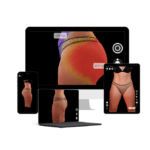
Arbrea Body
7 Docs
Cập nhật lần cuối: Tháng 6 4, 2026
Câu hỏi thường gặp
Arbrea Suite
Làm thế nào để nâng cấp gói dịch vụ của mình để bao gồm tất cả các tính năng hiện có?
Arbrea Suite có được cập nhật thường xuyên với các tính năng và cải tiến mới không?
Vâng, Arbrea Suite nhận được các bản cập nhật thường xuyên bao gồm các tính năng mới, cải tiến hệ thống và tối ưu hóa. Những bản cập nhật này nâng cao khả năng sử dụng, mở rộng khả năng mô phỏng và đảm bảo ứng dụng luôn tương thích với các thiết bị và phiên bản iOS mới nhất. Để luôn cập nhật về các bản phát hành mới nhất, bạn luôn có thể kiểm tra phần “What’s New” ngay trong ứng dụng Arbrea Suite của mình.
Arbrea Suite đảm bảo tính riêng tư dữ liệu bệnh nhân như thế nào?
Arbrea Suite hoạt động hoàn toàn ngoại tuyến, xử lý tất cả dữ liệu bệnh nhân cục bộ trên thiết bị của bạn để tối đa hóa sự riêng tư và bảo mật. Tuy nhiên, nếu bạn muốn, bạn có thể tích hợp Arbrea Suite với hệ thống đám mây riêng của mình để lưu trữ và quản lý dữ liệu bệnh nhân một cách an toàn. Nhấp vào đây để tìm hiểu cách kích hoạt các tùy chọn đám mây riêng tư..
Arbrea Suite có cần kết nối internet để hoạt động không?
Arbrea Suite chỉ cần kết nối internet để truy cập và thiết lập ban đầu. Sau đó, nó hoạt động hoàn toàn ngoại tuyến, vì tất cả quá trình xử lý diễn ra cục bộ trên thiết bị, đảm bảo hiệu suất nhanh và Quyền riêng tư dữ liệu .
Các thiết bị nào tương thích với Arbrea Suite?
Arbrea Suite is compatible with iPhone 11 or newer, iPad Pro 11″ / 12.9″ (4th gen, 2020+) or newer, iPad Air (4th gen, 2020+), iPad mini (6th gen, 2021+), and iPad (10th gen, 2022+). Note that iPads without Face ID may have lower quality in face live/image mode. For optimal performance, Arbrea recommends the latest iPad Pro 11″ with at least 128GB storage. myArbrea/Bellea also requires iPhone 11 or newer.
Chi tiết đầy đủ có sẵn tại đây: Các thiết bị tương thích với Arbrea.
Arbrea Breast
Việc tạo ra một mô phỏng với Arbrea Breast mất bao lâu?
Việc tạo ra mô phỏng với Arbrea Breast chỉ mất vài giây. Nhờ hệ thống AI và quy trình làm việc trực quan, các bác sĩ phẫu thuật có thể nhanh chóng tạo ra các mô phỏng phẫu thuật vú chính xác trong thời gian thực trong quá trình tư vấn, giúp đơn giản hóa quá trình trải nghiệm và đưa ra quyết định của bệnh nhân.
Việc tạo ra một mô phỏng với Arbrea Breast mất bao lâu?
Việc tạo ra mô phỏng với Arbrea Breast chỉ mất vài phút. Nhờ công nghệ AI và quy trình làm việc trực quan, các bác sĩ phẫu thuật có thể nhanh chóng tạo ra các mô phỏng phẫu thuật vú chính xác trong thời gian thực trong quá trình tư vấn, giúp đơn giản hóa quá trình trải nghiệm và đưa ra quyết định của bệnh nhân.
Can Arbrea Breast export simulations for patient review?
Yes, Arbrea Breast allows you to export the simulation in various formats: you can export images, a short video, or even share a dynamic 3D model directly with the patient via myArbrea. This flexibility helps patients better visualize and review the proposed surgical outcomes at their convenience.
Is Arbrea Breast suitable for both primary and revision breast surgeries?
Yes, Arbrea Breast is designed to be effective for both primary and revision breast surgeries. It allows surgeons to simulate procedures such as augmentations, lifts, reductions, and asymmetry corrections, helping to visualize outcomes for first-time surgeries as well as corrective or secondary interventions.
What types of breast procedures can be simulated with Arbrea Breast?
Arbrea Breast is designed to simulate Cải thiện kích thước ngực , lifting, reduction , và asymmetry corrections, gynecomastia and reconstruction.
Can Arbrea Breast simulate different implant brands, types and sizes?
Yes, Arbrea Breast allows surgeons to simulate a variety of implant options to assist in decision-making. Click here to find out how to use our implant catalogue.
Arbrea Face
Is Arbrea Face useful for pre- and post-procedure documentation?
Yes, Arbrea Face is very useful for pre- and post-procedure documentation. All simulations and analyses are automatically saved in the patient’s digital file, allowing you to easily compare initial simulations with post-treatment results. This helps track progress and enhances patient communication by showing visual proof of outcomes over time.
Is Arbrea Face compatible with both iPads and iPhones?
Yes, Arbrea Face is fully compatible with both iPads and iPhones. However, for the best performance—especially when using AR features and AI-powered facial analysis—it’s recommended to use newer models, such as iPad Pro, iPad Air (Face ID devices preferred), and iPhone 11 or newer.
Does Arbrea Face use AI technology for facial analysis?
Yes, Arbrea Face uses advanced AI technology to perform automatic facial analysis. The AI identifies key facial landmarks, detects asymmetries, and helps visualize potential improvements for both surgical and non-surgical procedures. This technology supports faster, more accurate simulations and enhances patient consultations.
Can Arbrea Face visualize facial symmetry improvements?
Yes, Arbrea Face allows you to visualize facial symmetry improvements by using its automatic measurement and proportion tools. The system can take key facial measurements to highlight asymmetries and display balanced proportions during consultations. This helps patients better understand potential treatment outcomes.
For a detailed guide on how to use these measurement tools, you can check this resource: How to use the automatic measurements tools.
Can Arbrea Face simulate both surgical and non-surgical facial procedures?
Yes, Arbrea Face is designed to simulate both surgical and non-surgical facial procedures. It can be used for treatments such as Rhinoplasty , chin augmentation, facial contouring, and filler injections, providing real-time visualizations to support patient consultations and decision-making.
Arbrea Body
What devices are compatible with Arbrea Body?
To ensure the high-performance requirements of our new body pipeline, which utilizes advanced all-around texture fitting and merging, the Arbrea Body now requires devices with at least 6GB of RAM. Arbrea Body is compatible with iPhone 14 (2022) or newer, iPhone 12 Pro / Pro Max (2020) or newer, iPad Pro (2020) or newer, iPad Air 5th Gen (2022) or newer, iPad mini A17 Pro (2024), and iPad 11th Gen (2025).
Chi tiết đầy đủ có sẵn tại đây: Compatible Devices
How does Arbrea’s “Private AI” protect patient data?
Unlike traditional simulators that upload photos to a third-party cloud for processing, Arbrea uses Private AI which runs locally on your device. This means all sensitive images and measurements stay on your iPad, iPhone, Mac ensuring maximum data privacy and compliance without the risk of cloud-based data leaks.
Does Arbrea Body provide automatic body measurements?
Yes. The AI-powered engine automatically calculates essential body parameters and measurements. This helps in analyzing symmetry and proportions, ensuring the simulated outcome is balanced and realistic for the patient’s specific frame.
Can Arbrea Body simulate different volume changes and fat grafting?
Yes. The software features a specialized sculpting and fat grafting tool. This allows surgeons to “add” or “remove” volume in specific anatomical regions to mimic the effects of fat transfer or liposuction with high precision.
What types of body procedures can be simulated with Arbrea Body?
Arbrea Body supports a variety of contouring and reshaping procedures, including:
- Liposuction (targeting specific areas like the abdomen, flanks, or thighs).
- Abdominoplasty (Tummy Tuck).
- Body Contouring and skin tightening treatments.
And so on.
Is Arbrea Body suitable for both surgical and non-invasive procedures?
Absolutely. It is designed for a wide range of treatments, from surgical liposuction and tummy tucks to non-invasive body contouring and fat freezing. It helps bridge the gap between a patient’s expectations and the clinical reality.
Can Arbrea Body export simulations for patient review?
Yes. Simulations can be shared with patients via myArbrea (the dedicated patient app) or sent directly through secure email. This allows patients to review their potential results in private, which helps in the decision-making process.
How long does it take to create a simulation with Arbrea Body?
Arbrea Body is built for speed. Using an iPad, iPhone, Mac, a high-fidelity 3D body simulation can be generated in seconds after taking the initial photos, allowing for a fluid and interactive consultation.
myArbrea
Is myArbrea free for patients to download and use?
Yes, myArbrea is free for patients to download and use. Patients can access it via the App Store or Google Play without any cost, making it easy for them to explore simulations and connect with clinics directly through the app.
Is myArbrea available for both iOS and Android devices?
Yes, myArbrea is available for both iOS and Android devices. This allows patients to access the app on a wide range of smartphones, improving accessibility and convenience for users regardless of their preferred platform.
Can myArbrea be customized for my clinic?
Yes, myArbrea can be personalized for your clinic. You can customize it with your clinic’s branding, logo, and contact details, creating a tailored experience for your patients. This helps reinforce your brand identity while improving trust and engagement with prospective patients who interact with the app.
For more details, visit: Bạn có thể bao gồm loại liên kết nào trên myArbrea
Is myArbrea connected to Arbrea Suite for sharing simulations?
Yes, myArbrea and Arbrea Suite work seamlessly together. Not only can surgeons share 3D simulations from Arbrea Suite directly to myArbrea for patient review, but it also works in reverse—doctors can import a 3D model created by patients within myArbrea back into Arbrea Suite. This two-way integration enhances workflow efficiency and deepens patient-clinic interaction.
How does myArbrea help clinics improve patient engagement and lead generation?
myArbrea enhances patient engagement by allowing users to simulate treatments on their own, building curiosity and trust before meeting a surgeon. Clinics can capture these interested users as qualified leads, boosting appointment requests. By offering interactive experiences and direct communication through the app, myArbrea increases conversion rates and supports clinics in building a stronger digital presence.
What is myArbrea and who is it designed for?
myArbrea is a patient-centric app created to help users visualize aesthetic procedures before booking a consultation. It empowers clinics by acting as a lead-generation tool, capturing potential patients who engage with the app and converting them into actual consultations. By offering interactive previews, myArbrea increases patient interest and drives new leads directly to your practice, helping grow your client base effectively.
You can explore more about myArbrea features ở đây




 English
  Portuguese
  Italian
  Spanish
  German
  Arabic
  French
  Korean
  Albanian
  Thai
Thai  Hindi
Hindi  Vietnamese
  Japanese