
Arbrea Suite features an advanced Capture Tool, enabling plastic surgeons to create high-quality 3D models for full-body simulations with precision. This tool ensures optimal body imaging for pre-operative planning, body contouring consultations.
Accessing the Capture Feature #
-
オープンアーブレア スイート そして、以下の場所に移動します。 Arbrea Body Capture Tool.
-
Ensure the camera is properly positioned to capture clear full-body patient images from head to toe.
なぜ重要なのか? #
-
提供する内容 structured approach for capturing high-quality images of the torso, abdomen, and limbs.
-
保証する accurate simulation results for procedures like liposuction, tummy tucks, or fat grafting during consultations.
Taking the Perfect Patient Image #
-
Ensure proper lighting – Use bright, even lighting to avoid shadows that can interfere with AI depth perception.
-
Position the patient in a neutral posture – The patient should stand with feet shoulder-width apart and arms slightly away from the body (A-pose) for better contour visualization.
-
Follow on-screen guides to take frontal, back, and both profile views.
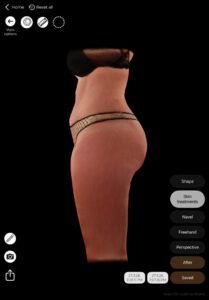
メリット:
作成を支援します 一貫性のある高品質な3Dアバター AIを活用したボディシミュレーションでは、患者の固有の解剖学的構造を保持することが重要です。.
結論 #
アーブレアボディ 画像品質、シミュレーションの精度、およびコンサルティングの効率を向上させます。構造化されたボディイメージング技術と適切なニュートラルなポジショニングに従うことで、外科医は患者とのコミュニケーションを改善し、ボディリフォーメーションの手術に対する現実的な期待を確立することができます。.
アーブレアボディ 患者と医師がコンサルテーションの前に現実的な身体の変化を視覚化できるため、患者は前向きに進む準備ができます。.




 English
  Portuguese
  Italian
  Spanish
  German
  Arabic
  French
  Korean
  Albanian
  Thai
Thai  Hindi
Hindi  Vietnamese
  Japanese