
Hit enter to search or ESC to close
Close Search
आर्ब्रिया लैब्स
Menu
  • समाधान
    • समाधान
    • समाधान
      • प्लास्टिक सर्जन के लिए
      • एस्थेटिक डॉक्टरों के लिए
      • फेशियल इंजेक्टर के लिए
  • के बारे में
    • हमारे बारे में
    • हमारे बारे में
      • हमारे बारे में
      • आर्ब्रि मदद
      • करियर
      • संपर्क करें
      • साझेदार
  • हम क्या बनाते हैं
    • हम क्या बनाते हैं
    • हम क्या बनाते हैं
      • Arbrea Suite
      • आर्ब्रिया ब्रेस्ट
      • आर्ब्रिया फेस
      • ARBREA BODY
      • माईआर्ब्रेआ
      • आर्ब्रिया एक्स मेंटॉर
      • सर्जन प्लेटफ़ॉर्म
  • संसाधन
    • संसाधन
    • संसाधन
      • प्रकाशन
      • आर्ब्रिया ब्लॉग
      • मार्केटिंग और बिक्री युक्तियाँ
      • नया क्या है
  • पार्टनर प्रोग्राम
  • विश्वसनीय
  • HI
    • EN
    • ES
    • IT
    • DE
    • PT
    • AR
    • FR
    • KO
    • TH
    • SQ
  • निःशुल्क शुरुआत करें
  • सर्जन प्लेटफ़ॉर्म
  • समाधान
    • समाधान
    • समाधान
      • प्लास्टिक सर्जन के लिए
      • एस्थेटिक डॉक्टरों के लिए
      • फेशियल इंजेक्टर के लिए
  • के बारे में
    • हमारे बारे में
    • हमारे बारे में
      • हमारे बारे में
      • आर्ब्रि मदद
      • करियर
      • संपर्क करें
      • साझेदार
  • हम क्या बनाते हैं
    • हम क्या बनाते हैं
    • हम क्या बनाते हैं
      • Arbrea Suite
      • आर्ब्रिया ब्रेस्ट
      • आर्ब्रिया फेस
      • ARBREA BODY
      • माईआर्ब्रेआ
      • आर्ब्रिया एक्स मेंटॉर
      • सर्जन प्लेटफ़ॉर्म
  • संसाधन
    • संसाधन
    • संसाधन
      • प्रकाशन
      • आर्ब्रिया ब्लॉग
      • मार्केटिंग और बिक्री युक्तियाँ
      • नया क्या है
  • पार्टनर प्रोग्राम
  • विश्वसनीय
  • HI
    • EN
    • ES
    • IT
    • DE
    • PT
    • AR
    • FR
    • KO
    • TH
    • SQ
  • निःशुल्क शुरुआत करें
  • सर्जन प्लेटफ़ॉर्म
  • फ़ेसबुक
  • लिंक्डइन
  • यूट्यूब
  • इंस्टाग्राम

Arbrea Suite Academy

5
  • How to Share a Case from Arbrea Suite to myArbrea
  • How to Use Arbrea Suite
  • How to Integrate Arbrea into Your Consultation
  • How to Activate Private Cloud Options
  • How to Customize Arbrea Suite to Your Brand 

Arbrea Breast Academy

22
  • How to Use Arbrea Breast – An Overview
  • How to Create a 3D Model for the Breast
  • How to Simulate in AR & 3D Mode
  • How to Use Sculpting Mode
  • How to Use the Implants Catalog
  • How to Set Up the Implant Brands
  • How to Use the Shape Tool
  • How to Use Bookmarks to Compare Different Implants
  • How to Simulate a Mastopexy With or Without Implants
  • How to Use Measurements
  • How to Use the Scars Tool
  • How to Use the Fat Grafting Tool
  • How to Share the Breast Simulation with Patients
  • How to Simulate Breast Reconstruction
  • How to Simulate Tuberous Breast
  • How to Simulate a Gynecomastia
  • How to Simulate an Implant Replacement 
  • How to Capture Complex Cases
  • How to Import a Model from myArbrea
  • How to Mirror to an External Screen
  • How to Order Implants
  • How to Simulate Asymmetries

Arbrea Face Academy

12
  • How to Use Arbrea Face
  • How to Make a 3D Model
  • How to Use the Automatic Measurements Tools
  • How to Use the New Free Hand Tool
  • How to Use the Annotation Tool for Injectables
  • How to Simulate a Rhinoplasty
  • How to Simulate a Facelift
  • How to Simulate Lip Procedures
  • How to Simulate Cheek Procedures
  • How to Share the Face Simulation with Patients
  • How to Simulate Chin Procedures
  • How to Simulate a Bichectomy

माईआर्ब्रेआ

13
  • How to Add a myArbrea Code from Arbrea Suite
  • How to Request the Activation of myArbrea
  • How to Check Your myArbrea Analytics
  • How to Check and Contact Your myArbrea Users
  • How to Share a Case from myArbrea to Arbrea Suite
  • How to Use myArbrea
  • Why Should You Use myArbrea
  • What Are the Benefits of myArbrea to Current Users 
  • What Kind of Links You Can Include on myArbrea
  • How to Market myArbrea on Instagram and Other Media
  • How to Use myArbrea to Reduce No-Show Rate
  • How to Use myArbrea in Remote Consultations
  • How to Integrate myArbrea in Your Website

आर्ब्रेया बॉडी

7
  • How to Use the Fat Grafting Tool
  • How to Capture the Best Body Images for Simulation
  • How to Share the Body Simulation with Patients
  • How to Use Body Measurements
  • How can I simulate an Abdominoplasty (Tummy Tuck)?
  • How do I create a 3D Body Model?
  • How does Arbrea Body work? (Overview)
View Categories
  • होम
  • Docs
  • Arbrea Suite Academy
  • How to Integrate Arbrea into Your Consultation

How to Integrate Arbrea into Your Consultation

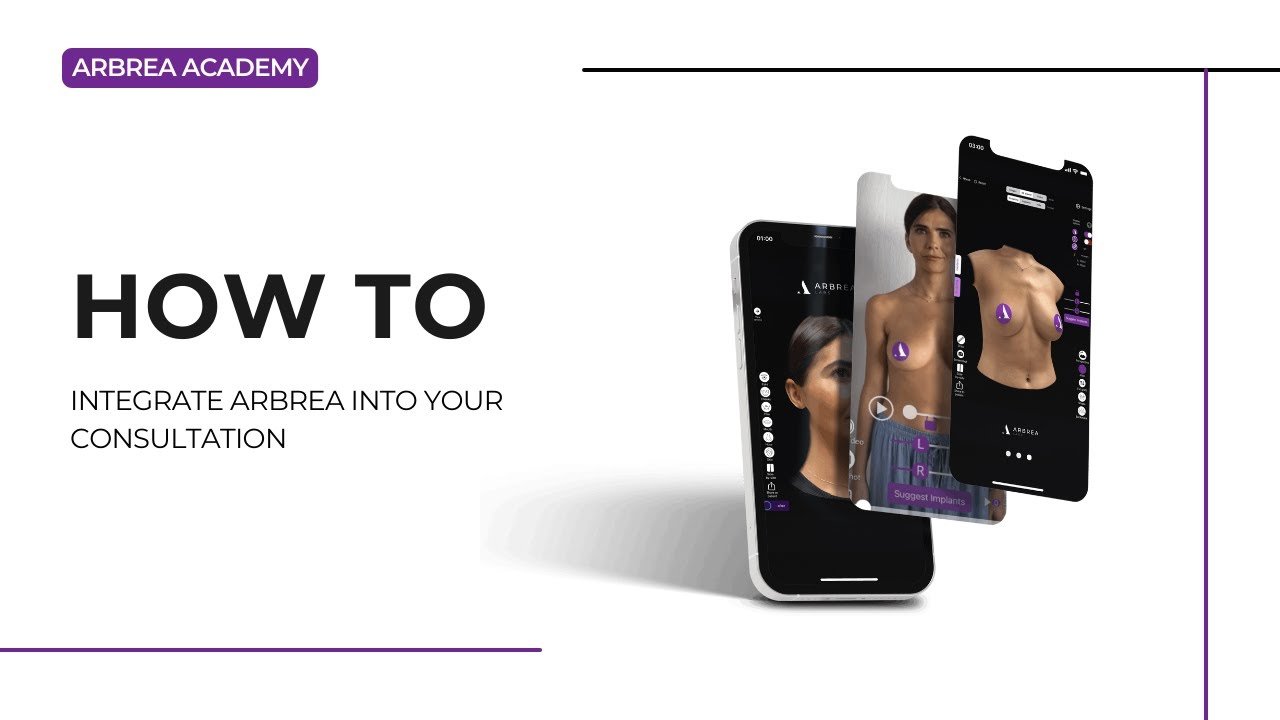
Integrating Arbrea Suite into your plastic surgery consultation process can significantly enhance efficiency, patient communication, and visualization. Whether you have an assistant handling patient intake or you work alone, Arbrea provides a seamless way to incorporate AI-powered simulations into your workflow.

This guide will walk you through the best practices for integrating Arbrea Suite into your consultations, optimizing your time, and even conducting remote consultations with ease.

Mapping Your Consultation Process #

Before integrating Arbrea, it’s essential to analyze and structure your consultation workflow. Ask yourself:

✔ How long is my consultation?
✔ When do I take patient photos?
✔ Do I have an assistant, or am I working alone?

By mapping your process, you can identify where Arbrea can optimize and streamline your workflow.

Optimizing Consultation with an Assistant #

If you have an assistant, Arbrea can speed up patient intake:

  1. Patient Arrival & Quick Interview
    • The assistant welcomes the patient and conducts a short interview.
    • During this time, they take three pictures using an iPad or iPhone (front and side profiles).
  2. Real-Time Sync with Arbrea Suite
    • If your devices are synced, the surgeon can see the simulation in real time while the assistant takes the pictures.
    • This allows for a seamless transition to the consultation phase with the patient.

Advantage: By the time the patient sits down with the surgeon, the simulation is already prepared, saving time and improving workflow.

Using Arbrea as a Solo Practitioner #

If you work without an assistant, integrating Arbrea remains quick and easy:

  1. Take Photos at the Usual Stage
    • If you usually take photos before marking, simply replace your old process with Arbrea.
    • Use an iPad or iPhone to take:
      • Frontal view
      • Left full profile
      • Right full profile
  2. No Internet Required
    • Arbrea works entirely on your device, so you don’t need to worry about internet connectivity slowing down your workflow.

Advantage: This method takes less than 30 seconds, making it the fastest AI simulation tool available for consultations.

Adapting Arbrea for Remote Consultations #

  1. Provide Patients with myArbrea
    • Patients take their own photos before the consultation and submit them.
  2. Upload Patient Images to Arbrea Suite
    • Once received, the surgeon can review and simulate before the online appointment.
  3. Connect via Zoom or Video Call
    • Conduct the remote consultation while showing the Arbrea simulation in real time.

Advantage: This allows you to analyze patient cases ahead of time, making the consultation more efficient and increasing patient satisfaction.

Managing Time Efficiently with Arbrea #

  • If you currently use external sizers or before-and-after photos, consider replacing them with Arbrea’s real-time simulations.
  • Avoid overloading the consultation—imagine it as a glass of water:
    • If you keep adding more tools, the water overflows (consultation time gets longer).
    • Instead, optimize by removing redundant steps and replacing them with Arbrea simulations.
  • Use before-and-after photos only for showcasing surgical expertise, not for predicting results. Arbrea does that more accurately.

Advantage: By simplifying your approach, Arbrea ensures a smooth, efficient, and interactive consultation without extending appointment times unnecessarily.

Learn More & Get Support #

  • Expert Consultation: Our team has worked with plastic surgeons worldwide—from Australia to Alaska—helping them integrate Arbrea seamlessly.
  • Customized Solutions: We analyze your specific workflow and suggest tailored solutions for your practice.

Reach out to our team to discover the best way to integrate Arbrea into your consultations.

Conclusion #

The consultation workflow tools in Arbrea Suite streamline patient imaging, real-time simulations, and remote consultations. By utilizing automated photo syncing, myArbrea for virtual consultations, and AI-powered visualization, surgeons can enhance consultations and achieve efficient pre-operative planning.

For more guidance, watch the full video tutorial below.
YouTube thumbnailYouTube icon

Updated on मार्च 31, 2025
How to Use Arbrea SuiteHow to Activate Private Cloud Options
Table of Contents
  • Mapping Your Consultation Process
  • Optimizing Consultation with an Assistant
  • Using Arbrea as a Solo Practitioner
  • Adapting Arbrea for Remote Consultations
  • Managing Time Efficiently with Arbrea
  • Learn More & Get Support
  • Conclusion
  • Instagram
  • LinkedIn
  • YouTube
  • हमारे बारे में
  • आर्ब्रिया सहायता केंद्र
  • करियर
  • गोपनीयता नीति
  • छाप
  • उपयोग की शर्तें
  • संपर्क करें
  • निःशुल्क शुरुआत करें
  • एक डेमो बुक करें
  • आर्ब्रिया ब्रेस्ट
  • आर्ब्रिया फेस
  • आर्ब्रेया बॉडी
  • माईआर्ब्रेआ
  • सर्जन प्लेटफ़ॉर्म

आगामी कार्यक्रम

अक्टूबर 15
१५ अक्टूबर - 18 अक्टूबर

प्लास्टिक सर्जरी द मीटिंग 2026

अक्टूबर 27
अक्टूबर 27 - 31 अक्टूबर

ISAPS वर्ल्ड कांग्रेस 2026

View Calendar
हम आपकी प्राथमिकताओं और बार-बार आने वाले विज़िट को याद रखकर आपको सबसे प्रासंगिक अनुभव देने के लिए हमारी वेबसाइट पर कुकीज़ का उपयोग करते हैं। “स्वीकार करें” पर क्लिक करके, आप सभी कुकीज़ के उपयोग की सहमति देते हैं।.
मेरी व्यक्तिगत जानकारी न बेचें.
कुकी सेटिंग्सAccept
सहमति प्रबंधित करें

गोपनीयता का परिचय

यह वेबसाइट आपके अनुभव को बेहतर बनाने के इनमें से, आवश्यक के रूप में वर्गीकृत कुकीज़ आपके ब्राउज़र में संग्रहीत की जाती हैं क्योंकि वे वेबसाइट की बुनियादी कार्यक्षमताओं के काम करने के लिए आवश्यक हैं। हम तृतीय-पक्ष कुकीज़ का भी उपयोग करते हैं जो हमें यह विश्लेषण करने और समझने में मदद करती हैं कि आप इस वेबसाइट का उपयोग कैसे करते हैं। ये कुकीज़ केवल आपकी सहमति से आपके ब्राउज़र में संग्रहीत की जाएंगी। आपके पास इन कुकीज़ को ना-पसंद (ऑप्ट-आउट) करने का विकल्प भी है। लेकिन इनमें से कुछ कुकीज़ को ना-पसंद करने से आपके ब्राउज़िंग अनुभव पर असर पड़ सकता है।.
आवश्यक
Always Enabled
आवश्यक कुकीज़ वेबसाइट के ठीक से काम करने के लिए पूरी तरह से आवश्यक हैं। ये कुकीज़ गुमनाम रूप से वेबसाइट की बुनियादी कार्यक्षमताओं और सुरक्षा सुविधाओं को सुनिश्चित करती हैं।.
CookieDurationDescription
cookielawinfo-checkbox-analytics11 महीनेयह कुकी जीडीपीआर कुकी सहमति प्लगइन द्वारा सेट की जाती है। इस कुकी का उपयोग "एनालिटिक्स" श्रेणी में कुकीज़ के लिए उपयोगकर्ता की सहमति को संग्रहीत करने के लिए किया जाता है।.
cookielawinfo-checkbox-functional11 महीनेयह कुकी जीडीपीआर कुकी सहमति द्वारा "कार्यात्मक" श्रेणी में कुकीज़ के लिए उपयोगकर्ता की सहमति को रिकॉर्ड करने के लिए सेट की जाती है।.
cookielawinfo-checkbox-necessary11 महीनेयह कुकी GDPR कुकी सहमति प्लगइन द्वारा सेट की जाती है। इस कुकी का उपयोग "आवश्यक" श्रेणी की कुकीज़ के लिए उपयोगकर्ता की सहमति को संग्रहीत करने के लिए किया जाता है।.
cookielawinfo-checkbox-others11 महीनेयह कुकी जीडीपीआर कुकी सहमति प्लगइन द्वारा सेट की जाती है। कुकी का उपयोग श्रेणी "अन्य" में कुकीज़ के लिए उपयोगकर्ता की सहमति को संग्रहीत करने के लिए किया जाता है।.
cookielawinfo-checkbox-performance11 महीनेयह कुकी जीडीपीआर कुकी सहमति प्लगइन द्वारा सेट की जाती है। कुकी का उपयोग "प्रदर्शन" श्रेणी में कुकीज़ के लिए उपयोगकर्ता की सहमति को संग्रहीत करने के लिए किया जाता है।.
कुकी_नीति_देखी_गई11 महीनेयह कुकी जीडीपीआर कुकी सहमति प्लगइन द्वारा सेट की जाती है और इसका उपयोग यह संग्रहीत करने के लिए किया जाता है कि उपयोगकर्ता ने कुकीज़ के उपयोग के लिए सहमति दी है या नहीं। यह किसी भी व्यक्तिगत डेटा को संग्रहीत नहीं करती है।.
कार्यात्मक
फ़ंक्शनल कुकीज़ कुछ कार्यक्षमताएँ करने में मदद करती हैं जैसे वेबसाइट की सामग्री को सोशल मीडिया प्लेटफ़ॉर्म पर साझा करना, प्रतिक्रियाएँ एकत्र करना और अन्य तृतीय-पक्ष सुविधाएँ।.
निष्पादन
परफ़ॉर्मेंस कुकीज़ का उपयोग वेबसाइट के मुख्य परफ़ॉर्मेंस इंडेक्स को समझने और उनका विश्लेषण करने के लिए किया जाता है, जिससे आगंतुकों को बेहतर यूजर एक्सपीरियंस प्रदान करने में मदद मिलती है।.
एनालिटिक्स
विश्लेषणात्मक कुकीज़ का उपयोग यह समझने के लिए किया जाता है कि आगंतुक वेबसाइट के साथ कैसे बातचीत करते हैं। ये कुकीज़ आगंतुकों की संख्या, बाउंस दर, ट्रैफ़िक स्रोत आदि मेट्रिक्स पर जानकारी प्रदान करने में मदद करती हैं।.
विज्ञापन
विज्ञापनों से जुड़ी कुकीज़ (ऐडवर्टाइजमेंट कुकीज़) का उपयोग आगंतुकों को प्रासंगिक विज्ञापन और विपणन अभियान प्रदान करने के लिए किया जाता है। ये कुकीज़ वेबसाइटों पर आगंतुकों को ट्रैक करती हैं और अनुकूलित विज्ञापन प्रदान करने के लिए जानकारी एकत्र करती हैं।.
अन्य
अन्य अवर्गीकृत कुकीज़ वे हैं जिनका विश्लेषण किया जा रहा है और जिन्हें अभी तक किसी श्रेणी में वर्गीकृत नहीं किया गया है।.
SAVE & ACCEPT
Powered by कुकीयेस लोगो
We've detected you might be speaking a different language. Do you want to change to:
Change language to English English
Change language to Portuguese Portuguese
Change language to Italian Italian
Change language to Spanish Spanish
Change language to German German
Change language to Arabic Arabic
Change language to French French
Change language to Korean Korean
Change language to Albanian Albanian
Change language to Thai Thai
Hindi
Change Language
Close and do not switch language













