
Arbrea Body uses a proprietary “Local AI” engine body simulator designed to deliver fast, realistic 3D simulations in real time. Explore treatment outcomes for konturimi i trupit, zmadhimi, and reshaping procedures, helping clinics and patients align expectations with clarity and confidence. Unlike cloud-based systems, it processes biological data instantly on your iPad/iPhone/Mac. It calculates skin elasticity and tissue volume to simulate how a patient’s specific body will respond to contouring or augmentation.
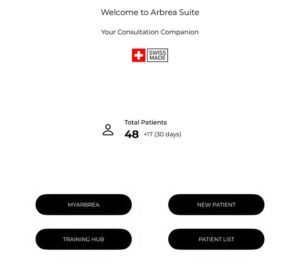
Open Arbrea Suite #
Launch the Arbrea Suite app on your iPad to begin the simulation.
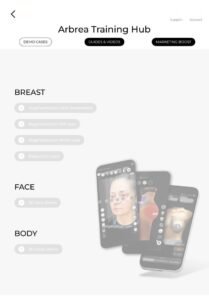
Click Training Hub #
Begin by exploring step-by-step guidance to help you become familiar with each feature in the Arbrea Suite.
Why Is It Important?
Gives you a clear learning path and hands-on practice with all the tools.
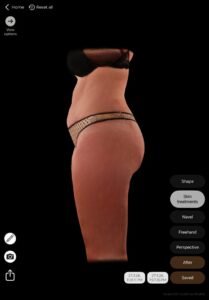
Simulating on Patient Images and Switching to 3D View #
- You can start simulating directly on the patient’s images (frontal or lateral views).
- Easily switch to the 3D Viewer to provide an interactive perspective.
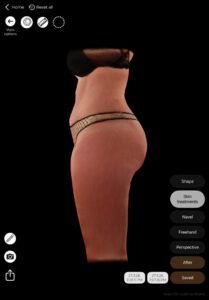
Comparing the Simulations #
Compare and see how before and after on that patient is.
Sharing the Simulation with the Patient #
Share the final simulation using:
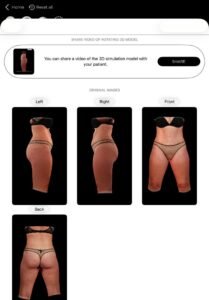
- A 3D video of the simulation
- Screenshots of the before-and-after
- Real-time device sharing during the consultation
Conclusion #
Arbrea Body allows you and the patients to visualize realistic body outcomes before the consultation, so patients are prepared to move forward.




 English
  Portuguese
  Italian
  Spanish
  German
  Arabic
  French
  Korean
  Albanian
  Thai
Thai  Hindi
Hindi