
Passer au contenu principal
Appuyez sur Entrée pour rechercher ou sur Échap pour fermer
Fermer la recherche
Arbrea Labs
Menu
  • Solutions
    • Solutions
    • Solutions
      • Pour les chirurgiens plasticiens
      • Pour les médecins esthétiques
      • Pour injecteurs faciaux
  • À propos
    • À propos de nous
    • À propos de nous
      • À propos de nous
      • Aide Arbrea
      • Carrières
      • Contact
      • Partenaires
  • Ce que nous construisons
    • Ce que nous construisons
    • Ce que nous construisons
      • Arbrea Suite
      • Arbrea Breast
      • Arbrea Face
      • ARBREA BODY
      • myArbrea
      • Arbrea x Mentor
      • Plateforme chirurgiens
  • Ressources
    • Ressources
    • Ressources
      • Publications
      • Blog Arbrea
      • Conseils en marketing et vente
      • Quoi de neuf
  • Programme Partenaire
  • De confiance
  • FR
    • EN
    • ES
    • IT
    • DE
    • PT
    • AR
    • KO
    • TH
    • HI
    • SQ
  • Commencer gratuitement
  • Plateforme chirurgiens
  • Solutions
    • Solutions
    • Solutions
      • Pour les chirurgiens plasticiens
      • Pour les médecins esthétiques
      • Pour injecteurs faciaux
  • À propos
    • À propos de nous
    • À propos de nous
      • À propos de nous
      • Aide Arbrea
      • Carrières
      • Contact
      • Partenaires
  • Ce que nous construisons
    • Ce que nous construisons
    • Ce que nous construisons
      • Arbrea Suite
      • Arbrea Breast
      • Arbrea Face
      • ARBREA BODY
      • myArbrea
      • Arbrea x Mentor
      • Plateforme chirurgiens
  • Ressources
    • Ressources
    • Ressources
      • Publications
      • Blog Arbrea
      • Conseils en marketing et vente
      • Quoi de neuf
  • Programme Partenaire
  • De confiance
  • FR
    • EN
    • ES
    • IT
    • DE
    • PT
    • AR
    • KO
    • TH
    • HI
    • SQ
  • Commencer gratuitement
  • Plateforme chirurgiens
  • Facebook
  • LinkedIn
  • YouTube
  • Instagram

Arbrea Suite Academy

5
  • How to Share a Case from Arbrea Suite to myArbrea
  • How to Use Arbrea Suite
  • How to Integrate Arbrea into Your Consultation
  • How to Activate Private Cloud Options
  • How to Customize Arbrea Suite to Your Brand 

Arbrea Breast Academy

22
  • How to Use Arbrea Breast – An Overview
  • How to Create a 3D Model for the Breast
  • How to Simulate in AR & 3D Mode
  • How to Use Sculpting Mode
  • How to Use the Implants Catalog
  • How to Set Up the Implant Brands
  • How to Use the Shape Tool
  • How to Use Bookmarks to Compare Different Implants
  • How to Simulate a Mastopexy With or Without Implants
  • How to Use Measurements
  • How to Use the Scars Tool
  • How to Use the Fat Grafting Tool
  • How to Share the Breast Simulation with Patients
  • How to Simulate Breast Reconstruction
  • How to Simulate Tuberous Breast
  • How to Simulate a Gynecomastia
  • How to Simulate an Implant Replacement 
  • How to Capture Complex Cases
  • How to Import a Model from myArbrea
  • How to Mirror to an External Screen
  • How to Order Implants
  • How to Simulate Asymmetries

Arbrea Face Academy

12
  • How to Use Arbrea Face
  • How to Make a 3D Model
  • How to Use the Automatic Measurements Tools
  • How to Use the New Free Hand Tool
  • How to Use the Annotation Tool for Injectables
  • How to Simulate a Rhinoplasty
  • How to Simulate a Facelift
  • How to Simulate Lip Procedures
  • How to Simulate Cheek Procedures
  • How to Share the Face Simulation with Patients
  • How to Simulate Chin Procedures
  • How to Simulate a Bichectomy

myArbrea

13
  • How to Add a myArbrea Code from Arbrea Suite
  • How to Request the Activation of myArbrea
  • How to Check Your myArbrea Analytics
  • How to Check and Contact Your myArbrea Users
  • How to Share a Case from myArbrea to Arbrea Suite
  • How to Use myArbrea
  • Why Should You Use myArbrea
  • What Are the Benefits of myArbrea to Current Users 
  • What Kind of Links You Can Include on myArbrea
  • How to Market myArbrea on Instagram and Other Media
  • How to Use myArbrea to Reduce No-Show Rate
  • How to Use myArbrea in Remote Consultations
  • How to Integrate myArbrea in Your Website

Arbrea Body

7
  • How to Use the Fat Grafting Tool
  • How to Capture the Best Body Images for Simulation
  • How to Share the Body Simulation with Patients
  • How to Use Body Measurements
  • How can I simulate an Abdominoplasty (Tummy Tuck)?
  • How do I create a 3D Body Model?
  • How does Arbrea Body work? (Overview)
View Categories
  • Accueil
  • Docs
  • Arbrea Breast Academy
  • How to Simulate Asymmetries

How to Simulate Asymmetries

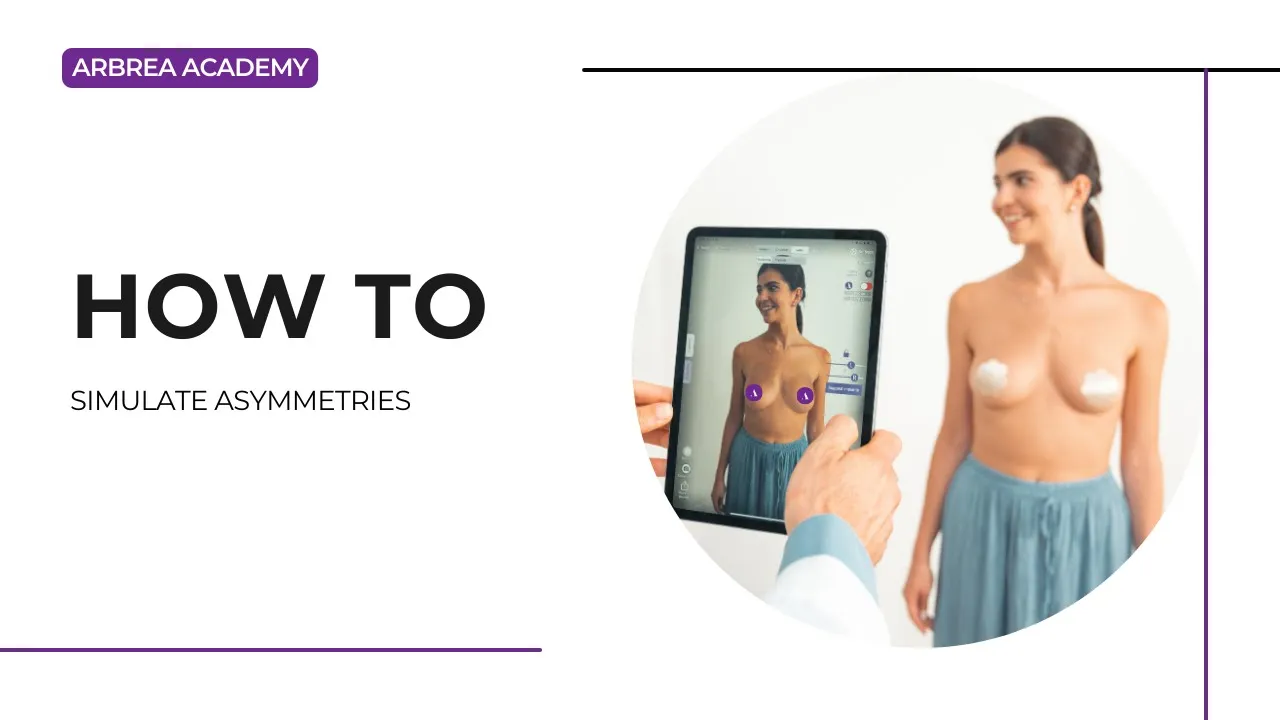
Arbrea Breast offers an intuitive and comprehensive guide on how to simulate asymmetries, enabling surgeons to accurately analyze, plan, and visualize surgical adjustments using AI-powered simulations. This guide walks you through the step-by-step process of measuring asymmetries, adjusting breast volume, selecting implants, modifying the nipple position, and visualizing surgical scars to enhance pre-operative consultations.

Selecting the Measurements #

  1. Open Arbrea Suite and select your patient’s image or 3D scan.
  2. Click on the Measurements tool to analyze breast volume differences.

Volume Differences Arbrea Suite

   3. By clicking again, you can switch between measurement mode and volume analysis to assess the asymmetry accurately.

Measurement Tool Arbrea Suite

Once measurements are visible, we can move on to adjusting the volume.

Adjusting Breast Volume for Symmetry #

How to Change from Measurements to Volume Mode #

  1. Activate Volume Mode by switching from measurements to volume settings.
  2. The software will automatically enter Reduction Mode (Step 1), which is used for:
    • Volume reduction
    • Mastopexy (breast lift)
    • Implant replacement planning

Reduction Mode Arbrea Suite

How to Reduce the Volume of Each Breast Individually #

By default, both breasts adjust together, but asymmetry correction requires independent adjustments:

  1. Deactivate the Lock – This unlocks the ability to modify each breast separately.
  2. Reduce the right breast volume significantly.
  3. Reduce the left breast volume slightly to maintain symmetry.

Slider Lock Arbrea Suite

At this stage, the initial correction of asymmetry is complete.

Choosing the Right Implant #

Once volume correction is done, we move to Step 2, where we select implants to restore shape and projection.

Augmentation Mode Arbrea Suite

How to Choose an Implant from the Catalog #

  1. Open the Implants Catalog.
  2. Select a brand (e.g., Mentor).
  3. Filter options based on:
    • Shape (Anatomic, Round)
    • Projection (Moderate, High, Extra High)
  4. Choose an appropriate implant and apply it to the patient.

Choosing an Implant from the Catalog in Arbrea Suite

If the implant placement is not perfect, adjustments can be made using the Shape Tool.

Adjusting Implant Position and Lift #

Once the implant is applied, we can refine its position, lift, and overall symmetry.

How to Adjust the Implant and Lift #

  1. Open the Shape Tool.
  2. Use the sliders to:
    • Lift the breast for a more youthful position.
    • Increase fullness in the upper pole if needed.
    • Move the implant to ensure correct alignment.

Adjust Implant With Shape Tool Arbrea Suite

After these refinements, the breast shape and symmetry are significantly improved.

Modifying the Nipples for a Natural Look #

To ensure perfect symmetry, it’s essential to reposition the Nipple-Areola Complex (NAC).

How to Adjust the Nipples #

  1. Open the NAC Tool (Nipple-Areola Complex Tool).
  2. Define the nipple size and exact target position.
  3. Adjust the positioning for natural alignment with the new breast shape.

This ensures that both nipples are positioned symmetrically, complementing the surgical plan.

Displaying Surgical Scars #

Arbrea Suite does not show scars directly, as scar healing varies. However, it provides scar indicators to give patients a general idea of where scars will be.

Scar Indicator Arbrea Suite

How to Show and Hide Scars #

  1. Open the Scars Indicator Tool to place surgical scar markers.
  2. Use Bookmark to save the results.
  3. Hide the scars if necessary to present a clean simulation to the patient.

Scar Location Modifier Arbrea Suite

This helps set realistic expectations while maintaining a professional and aesthetic visualization.

Presenting the Results to the Patient #

How to Hide the Tools for a Clear Patient View #

Once you’ve finalized the simulation:

Hide unnecessary tools to focus on the results.
Lend the iPad to the patient for an interactive experience.
If needed, return to the implant selection and refine the results further.

Hide Tools to Focus on the Final Result Arbrea Suite

This ensures a smooth and engaging consultation where patients can clearly understand the before-and-after transformation.

Conclusion #

Arbrea Breast simplifies the way on how to simulate asymmetries with precise measurement analysis, volume adjustments, and implant customization. By utilizing nipple position refinements, scar visualization, and AI-powered simulations, surgeons can enhance consultations and achieve accurate pre-operative planning.

For more guidance, watch the full video tutorial below.
YouTube thumbnailYouTube icon

Updated on mars 28, 2025
How to Order ImplantsHow to Use Arbrea Breast – An Overview
Table of Contents
  • Selecting the Measurements
  • Adjusting Breast Volume for Symmetry
    • How to Change from Measurements to Volume Mode
    • How to Reduce the Volume of Each Breast Individually
  • Choosing the Right Implant
    • How to Choose an Implant from the Catalog
  • Adjusting Implant Position and Lift
    • How to Adjust the Implant and Lift
  • Modifying the Nipples for a Natural Look
    • How to Adjust the Nipples
  • Displaying Surgical Scars
    • How to Show and Hide Scars
  • Presenting the Results to the Patient
    • How to Hide the Tools for a Clear Patient View
  • Conclusion
  • Instagram
  • LinkedIn
  • YouTube
  • À propos de nous
  • Centre d'aide Arbrea
  • Carrières
  • Politique de confidentialité
  • Empreinte
  • Conditions d'utilisation
  • Contact
  • Commencer gratuitement
  • Réserver une démo
  • Arbrea Breast
  • Arbrea Face
  • Arbrea Body
  • myArbrea
  • Plateforme chirurgiens

Événements à venir

Oct. 15
15 octobre - 18 octobre

Plastic Surgery The Meeting 2026

Oct. 27
27 octobre - 31 octobre

Congrès mondial de l'ISAPS 2026

Voir le calendrier
Nous utilisons des cookies sur notre site Web pour vous offrir l'expérience la plus pertinente en mémorisant vos préférences et vos visites répétées. En cliquant sur “ Tout accepter ”, vous consentez à l'utilisation de TOUS les cookies.
Ne vendez pas mes informations personnelles.
Paramètres des cookiesAccepter
Gérer le consentement

Aperçu de la confidentialité

Ce site Web utilise des cookies pour améliorer votre expérience lors de votre navigation sur le site. Parmi ceux.
Nécessaire
Toujours activé
Les cookies nécessaires sont absolument essentiels au bon fonctionnement du site Web. Ces cookies garantissent les fonctionnalités de base et les caractéristiques de sécurité du site Web, de manière anonyme.
BiscuitDuréeDescription
cookielawinfo-checkbox-analytics11 moisCe cookie est défini par le plugin GDPR Cookie Consent. Le cookie est utilisé pour stocker le consentement de l'utilisateur pour les cookies de la catégorie "Analytique".
cookielawinfo-checkbox-functional11 moisLe cookie est défini par le consentement des cookies GDPR pour enregistrer le consentement de l'utilisateur pour les cookies de la catégorie " Fonctionnel ".
cookielawinfo-checkbox-necessary11 moisCe cookie est défini par le plugin GDPR Cookie Consent. Les cookies sont utilisés pour stocker le consentement de l'utilisateur pour les cookies de la catégorie " Nécessaire ".
cookielawinfo-checkbox-others11 moisCe cookie est défini par le plugin GDPR Cookie Consent. Le cookie est utilisé pour stocker le consentement de l'utilisateur pour les cookies de la catégorie " Autre ».
cookielawinfo-checkbox-performance11 moisCe cookie est défini par le plugin GDPR Cookie Consent. Il est utilisé pour stocker le consentement de l'utilisateur pour les cookies de la catégorie " Performance ".
politique_des_cookies_consultée11 moisLe cookie est défini par le plugin GDPR Cookie Consent et est utilisé pour stocker si l'utilisateur a consenti ou non à l'utilisation de cookies. Il ne stocke aucune donnée personnelle.
Fonctionnel
Les cookies fonctionnels aident à exécuter certaines fonctionnalités, telles que le partage du contenu du site Web sur des plateformes de médias sociaux, la collecte de commentaires et d'autres fonctionnalités tierces.
Performance
Les cookies de performance sont utilisés pour comprendre et analyser les indicateurs de performance clés du site Web, ce qui contribue à offrir une meilleure expérience utilisateur aux visiteurs.
Analytique
Les cookies analytiques sont utilisés pour comprendre comment les visiteurs interagissent avec le site Web. Ces cookies aident à fournir des informations sur des mesures telles que le nombre de visiteurs, le taux de rebond, la source de trafic, etc.
Publicité
Les cookies publicitaires sont utilisés pour fournir aux visiteurs des annonces et des campagnes marketing pertinentes. Ces cookies suivent les visiteurs sur les sites Web et collectent des informations afin de fournir des publicités personnalisées.
Autres
Les autres cookies non catégorisés sont ceux qui font l'objet d'une analyse et qui n'ont pas encore été classés dans une catégorie.
ENREGISTRER ET ACCEPTER
Propulsé par Logo CookieYes
We've detected you might be speaking a different language. Do you want to change to:
Changer la langue en English English
Changer la langue en Portuguese Portuguese
Changer la langue en Italian Italian
Changer la langue en Spanish Spanish
Changer la langue en German German
Changer la langue en Arabic Arabic
French
Changer la langue en Korean Korean
Changer la langue en Albanian Albanian
Changer la langue en Thai Thai
Changer la langue en Hindi Hindi
Change Language
Close and do not switch language













