
Simulating a Tummy Tuck with Suite Arbrea requires a combination of volume management and skin repositioning. Cuerpo Arbrea’s AI handles the anatomical tension to ensure the result looks natural and surgical, not just flattened.
Perform Volume Shape #
-
Select the shape option tool.
-
Utiliza el Slider to control the intensity of the reduction to keep the result realistic.
- Change the waist, hips volume.

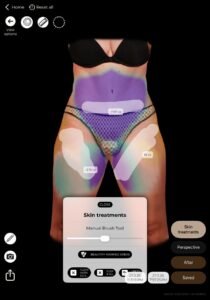
Apply the “Skin Tightening” Effect #
- Activate the Skin Treatments, Navel, Freehand feature.
- Use the tool to pull the abdominal tissue toward the midline.
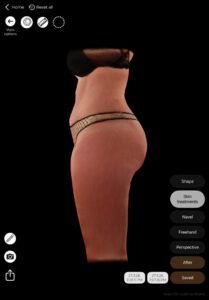
- Watch as the AI automatically adjusts the profile view, showing the transition from a rounded abdomen to a flat, athletic silhouette.
#
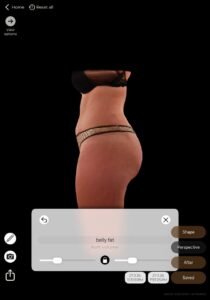
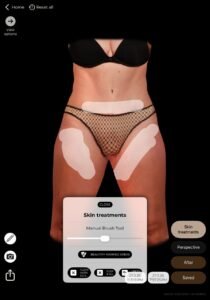
Before and After Comparison #
- Utiliza el “After” mode to show the patient the difference between their current state and the simulated Tummy Tuck.
- Focus on the Profile View: This is usually the “wow” moment for patients, as it shows the significant change in abdominal projection.
Beneficio:
Ayuda a crear consistent, high-quality 3D avatars for AI-powered body simulations, ensuring the patient’s unique anatomy is preserved.
Conclusión #
Cuerpo Arbrea enhances image quality, simulation accuracy, and consultation efficiency. By following structured body imaging techniques and proper neutral positioning, surgeons can improve patient communication and set realistic expectations for body reshaping procedures.
Cuerpo Arbrea allows you and the patients to visualize realistic body outcomes before the consultation, so patients are prepared to move forward.



 EN
EN  PT
PT  IT
IT  ES
ES  DE
DE